Simple Mail Transfer Protocol (SMTP) Setup
A howto for proxying this protocol. We recommend using a Tunnel for this protocol (GRE/IP-in-IP).
Reverse Proxying
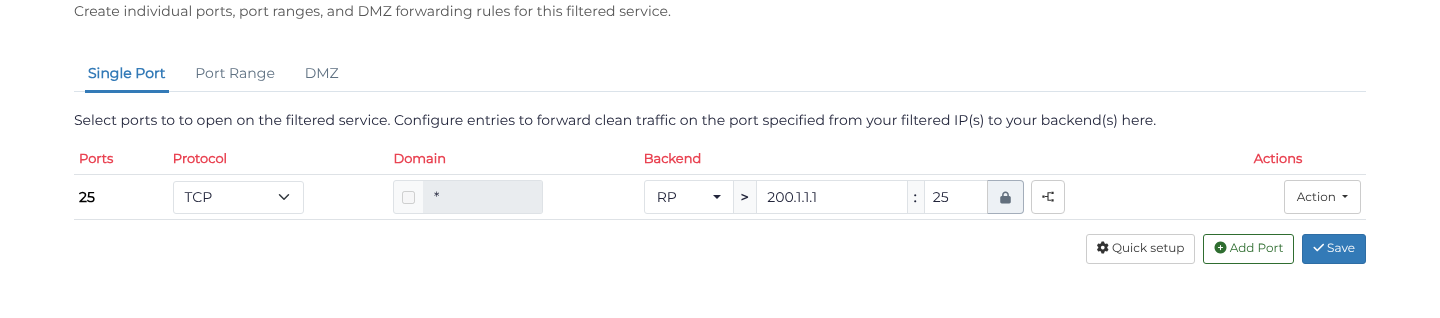
For reverse-proxy forwarding, open Services, find your service, and choose Action > Ports. Under Single Port, click Add port manually when Add your first port is shown; otherwise click Add Port. Enter the SMTP port in Port start (normally 25 for mail relay), choose TCP in Protocol, and set Backend method to Reverse Proxy. Enter your Backend address and Backend port, then click Save and check the saved row. Use the actual submission port, such as 587 or 465, when protecting authenticated submission instead of relay. For the most security ensure your hostname does not leak information about your backend. Ensure your mail server does not reject based on SPF records, connections will originate from the proxy server.
Tunnels
We recommend using a tunnel for SMTP servers to ensure that SPF record checking and spam filtering (and reporting) works as designed.
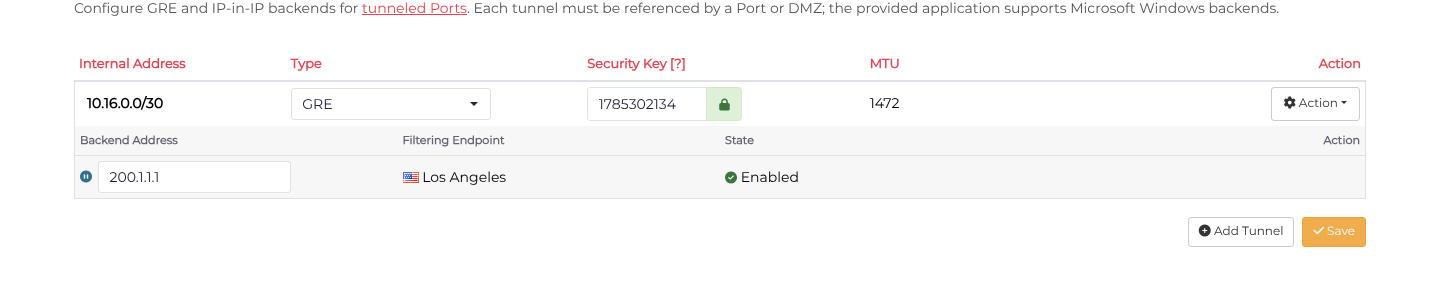
Open Services, choose the service's Action > Tunnels, click Add Tunnel, select GRE in Tunnel type, enter the public Backend address, and click Save.
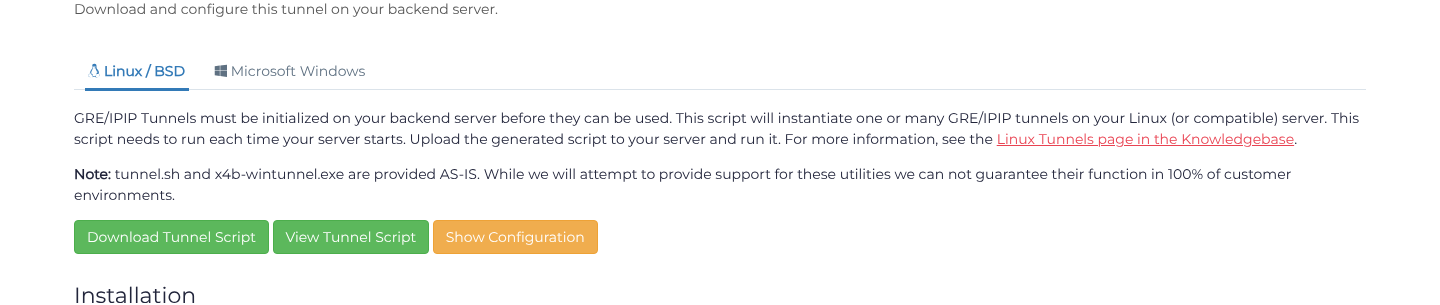
Return to Ports and select Single Port. Click Add port manually when Add your first port is shown; otherwise click Add Port. Set Port start to 25 and Protocol to TCP, and choose the available Encapsulated backend method and your tunnel. Set Backend port to your SMTP listener and click Save. Then return to Tunnels, choose Action > Setup Tunnel, and select Linux / BSD > Download Tunnel Script. Follow the downloaded script's installation instructions on your mail server and verify its reply routing before using it for mail delivery.