For the mitigation of HTTP floods (aka refresh floods) we provide customizable rate limiting controls. These limits can be set either globally or per HTTP zone. Choose limits from normal client traffic and backend capacity, then check legitimate use after deployment. A small origin may need tighter limits than a busy application.
Configure port and zone limits
- Open Services, choose the service's Action → Ports, then the HTTP/HTTPS port's Action → Filtering → Configure Limits.
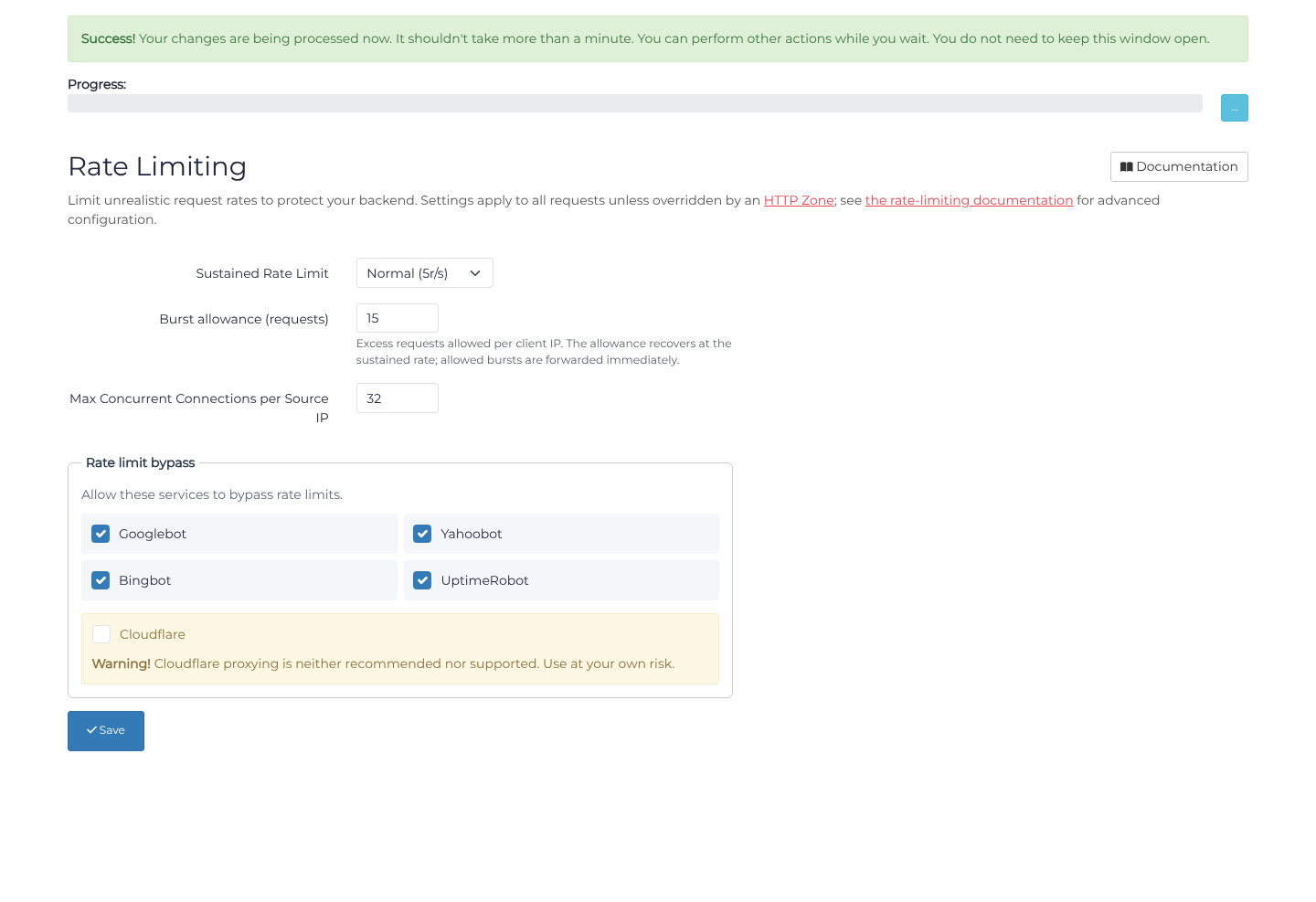
- Choose a Sustained Rate Limit, Burst allowance (requests), and Max Concurrent Connections per Source IP. As an example, Normal (5r/s), a burst allowance of
15requests, and concurrency32may suit a modest application; they are not universal defaults. - Review Rate limit bypass. Tick only services you intend to exempt, such as UptimeRobot for monitoring. The bypass concerns rate limits, not all filtering. Cloudflare proxying is explicitly unsupported.
- Choose Save, reload, and confirm the values. The port form clamps bursts to
8–500and concurrency to2–64on standard services or2–256on Anycast; checking the saved result matters.
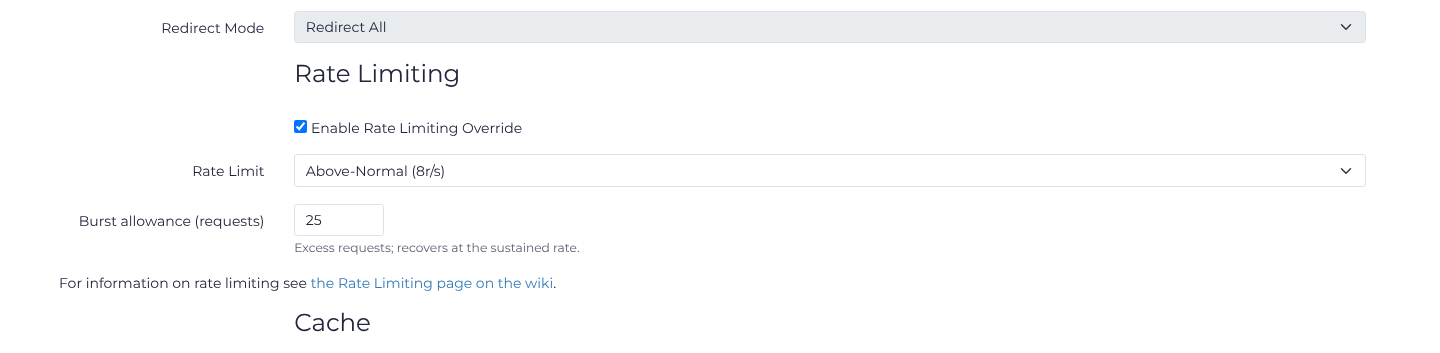
For a path or file category, return to Ports → Action → Zones, open the matching rule's Action → Advanced Config, and tick Enable Rate Limiting Override. For example, select Above-Normal (8r/s) with a burst allowance of 25 requests on type:images, choose Update, and reopen the rule to verify it. Clearing the override returns that zone to the port settings.
Request Rate Limits
Request limiting is based on incoming client IP addresses. The sustained rate is measured in requests per second; the burst allowance is a count of excess requests. Excess requests consume this allowance, which recovers over time at the sustained rate. Allowed bursts are forwarded immediately, without delay. For example, a fully used allowance of 15 requests at 5 requests per second recovers in about three seconds when no further requests arrive. This can also be used alongside the "Client IP" header which can be found in the HTTP options for compatibility with upstream proxies for Layer 7 flood protection.
Example
A set up for a simple forum with a shoutbox could be similar to the following.
Port Settings:
Rate Limit: Normal (5r/s)
Burst allowance: 15 requests

# Static Resources
*.jpeg
Rate Limit: 8r/s
Burst allowance: 25 requests
Cache: ON (Recommended, optional)

*.gif
Rate Limit: 8r/s
Burst allowance: 25 requests
Cache: ON (Recommended, optional)

*.png
Rate Limit: 8r/s
Burst allowance: 25 requests

*.css
Rate Limit: 8r/s
Burst allowance: 15 requests
Cache: ON (Recommended, optional)

#Shoutbox
/forums/ajax_shoutbox.php
Rate Limit: 4r/s
Burst allowance: 8 requests
Cache: OFF (Recommended, optional)
These values should be used as a guide only, your exact needs may vary. In this case all images (gif, jpeg, png) all share the same combined rate limiting.
Disable Rate Limiting
It is possible to disable rate limiting globally or for a specific HTTP Zone as needed. Choose Disabled (unlimited) for the sustained rate. This does not disable the separate Max Concurrent Connections per Source IP limit or other filtering.
Max Concurrent Connections
A limit is defined as to the maximum number of expected connections from a single (Layer 4) IP address. If exceeded then a specific access denied error will be shown.
Up to 64 layer 4 connections per IP are supported on standard services and 256 on Anycast services. The default of 32 is good enough for most conceivable applications. Defining a limit higher than 100 changes HTTP/2 session multiplexing parameters to control load as such values up to and including 100 are recommended.