
IP Blocklists at X4B
Multiple IP Blocklists are available at Layer 7 and Layer 4 levels to X4B customers. Users are able to supply ACL lists and Blocklists for Layer 7 / 4. This article however covers the named preset lists we provide.
Configure a port's preset lists
Open Services, find your service, and choose Action → Ports. Use the port that serves your application. If it has not been added, choose Add Port, enter the port number, protocol and backend, and click Save. The examples use TCP port 8080 and HTTP port 8081 with backend 203.0.113.10; replace these with your application settings.
For a TCP or UDP port, choose Action → Filtering → Enable / Disable blocklists. Select Block Tor Exit Nodes, then click Set Block List. Reload the page and check that the selection remains enabled. Clear the checkbox and save again to disable it.

For an HTTP or HTTPS port, follow the same Filtering → Enable / Disable blocklists link. The Block Lists form offers separate search-engine, bot and potential-threat choices. For example, select Block Tor Exit Nodes and Block VPN / Server networks, leave search engines allowed, and click the Save button at the end of this form. Reload to confirm the saved choices. Blocking a preset can also affect legitimate visitors that use those networks.
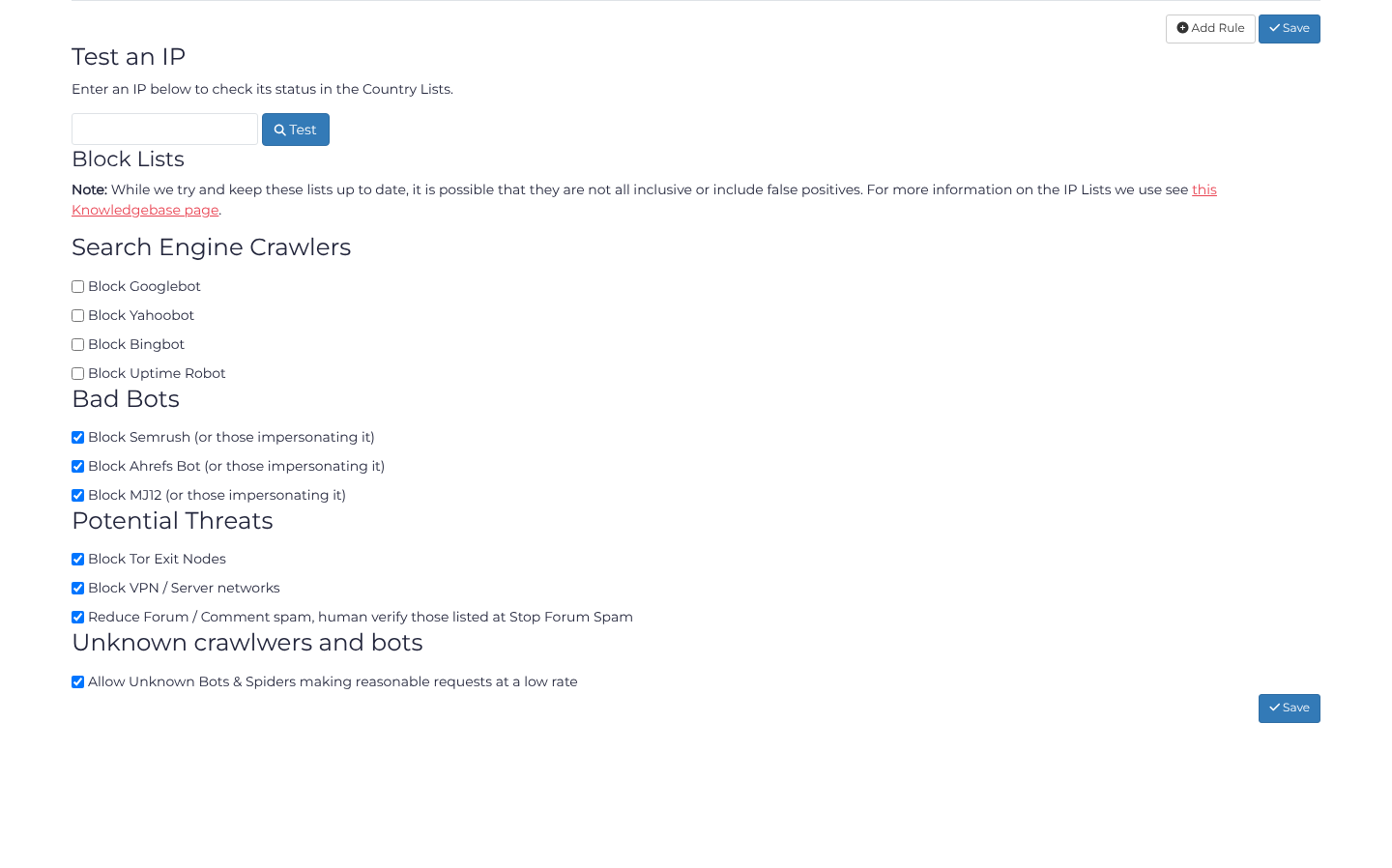
The available presets depend on the port protocol. The repositories below describe the maintained data; their presence here does not mean every list has a separate toggle for every protocol.
These lists include:
- TOR Exit Nodes
- VPN servers
- Search Engines
- StopForumSpam
- Uptimerobot
- Paypal
- Cloudflare
- Bots that are not search engines
These lists are automatically generated from various sources. The lists deployed at the edge are however delayed from the repository contents.
Please review the Github repositories for the complete lists of IP Addresses / Networks.
