
Use Client Area → Services → Action → IP Addresses to review a service's protected addresses and change the settings available for each address.
Reverse DNS (rDNS)
If the Reverse DNS cell is editable, enter a hostname whose forward DNS resolves to this protected IP. Select Save, then reload the page to verify the stored hostname. A cell showing Unavailable means reverse DNS cannot be managed here for that address.
Configure the hostname's forward DNS with your DNS provider before saving. DNS caches can delay when other systems see a change; saving the setting does not confirm that every resolver has updated.
GeoIP hints for Anycast addresses
Choose a GeoIP region for the address, select Save, and reload to confirm your selection. For example, select Los Angeles if that is the location you want participating GeoIP databases to associate with the address.
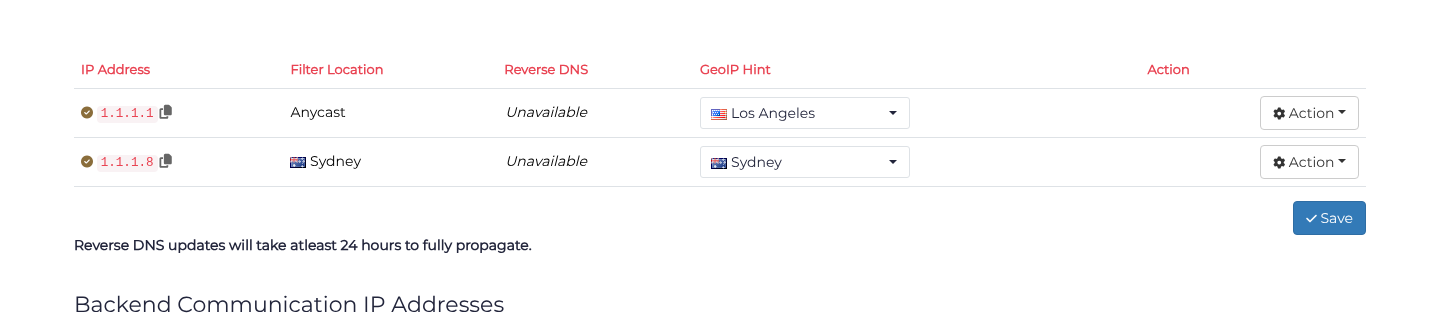
This updates the location hint published in our geofeed. It does not move your service, select a filtering location, or change routing. Third-party GeoIP providers decide whether and when to ingest the feed, so their results may differ or take time to update. See GeoIP for more detail.
Backend communication addresses
The Backend Communication IP Addresses table identifies the filtering locations and server addresses used to communicate with your backend. These differ from the protected IP addresses that clients connect to. Use the protected addresses for your public DNS records; use the communication addresses when following backend firewall instructions.
